haniseoul Multilingual Webpage Builder — Create a Global Landing Page in 30 Minutes
Even hosts who don't know coding, SEO, or multiple languages can use the haniseoul host (webpage builder) features to automatically create and publish pages in 14 languages. This article summarizes what is automated and how the result looks and behaves on the actual site.
Haniseoul Host (webpage builder) features
When building a multilingual landing page from scratch, you normally have to manually prepare language-specific copy, SEO settings, images, booking info, and page design. haniseoul page is designed to let you complete all of those complicated tasks in a few clicks. This article explains what the Host feature automates and how the published result appears at the public URL.
Common difficulties when building multilingual pages alone
It's hard to automatically show the page in the visitor's language.
If URLs and language tags are not set correctly per language, search engines are confused which version to show.
Managing copy, cards, booking notes and matching structured data for search requires multiple files and lots of manual work.
Manually changing image links, thumbnail sizes, and descriptions delays your launch schedule.
Repeated copy-and-paste for translations and aligning tone takes a lot of time.
What the haniseoul webpage builder actually helps with
1. Draft ready by choosing your industry
In the Basic Info tab, choose a template for Restaurant, Accommodation, or Tour, and required sections and FAQs are filled automatically. Additional templates can be added on request.
Templates are prepared as paired content and structured-data sets, so after applying a template you only need to fill in the content.
Saved content is sanitized automatically before saving to prevent unwanted code or dangerous scripts.
2. URLs and basic info organized without mistakes
When entering a slug, the system checks that only lowercase English letters and hyphens are used and warns you if the slug conflicts with another page.
Title and description fields guide you with 70- and 150-character limits so they don't get cut off in search previews.
The structured data input is validated before saving and shows messages if there are format errors.
A single publish switch lets you show or hide the original and translations together so you can control launch timing.
3. Manage image assets on one screen
Up to 20 photos can be uploaded in the Image tab, and CDN URLs are generated immediately so users around the world can quickly view images.
With one click you can copy a Markdown image code or just the raw URL to paste into your content.
Unneeded images can be deleted and are removed from the CDN as well.
An image gallery is provided so users can easily preview page images.
4. AI translation into 14 languages and individual editing
After saving the base language, running full translation uses the AI engine to generate content in 14 languages at once: ko, en, ja, zh-CN, zh-TW, es, fr, de, ru, vi, th, id, ar, mn.
The Translations tab shows per-language buttons and check marks so you can see which languages are ready.
For each language you can separately save title, description, body, structured data, thumbnail and publish status, allowing you to edit automatic translations as needed.
If you want to regenerate a specific language, run AI translation again for that language from translation management.
Global publish/unpublish buttons let you toggle all translations together to match campaign timing.
5. See results immediately
Success/failure notifications appear for key actions like save, translate, and publish so you know progress instantly.
After translation, data is refreshed automatically and the latest content is reflected on screen.
Warnings appear if structured data or images are missing so you don't miss quality issues.
AI translation can take some time for high quality; for long texts it may take more than 30 minutes, so keep your PC on until translation completes.
6. Recommended workflow
Enter basic info, apply a template, and fill the introduction and structured data defaults.
Upload gallery photos in the Image tab and insert them into required sections.
Run full translation to create 14 language pages, then polish key languages manually.
Use the global publish button to deploy all languages at once.
Click the View button in the Host page to review the site, then register your site on Google Maps, Naver Maps, booking pages, and share with customers. (Contact support if you need help registering your website.)
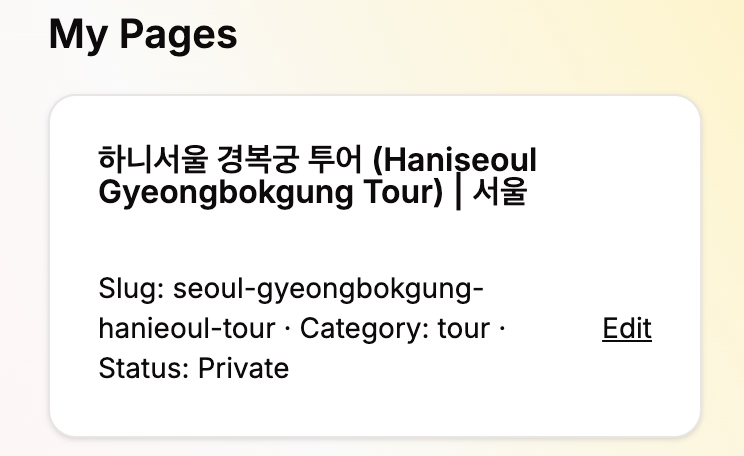
What users experience on the webpage
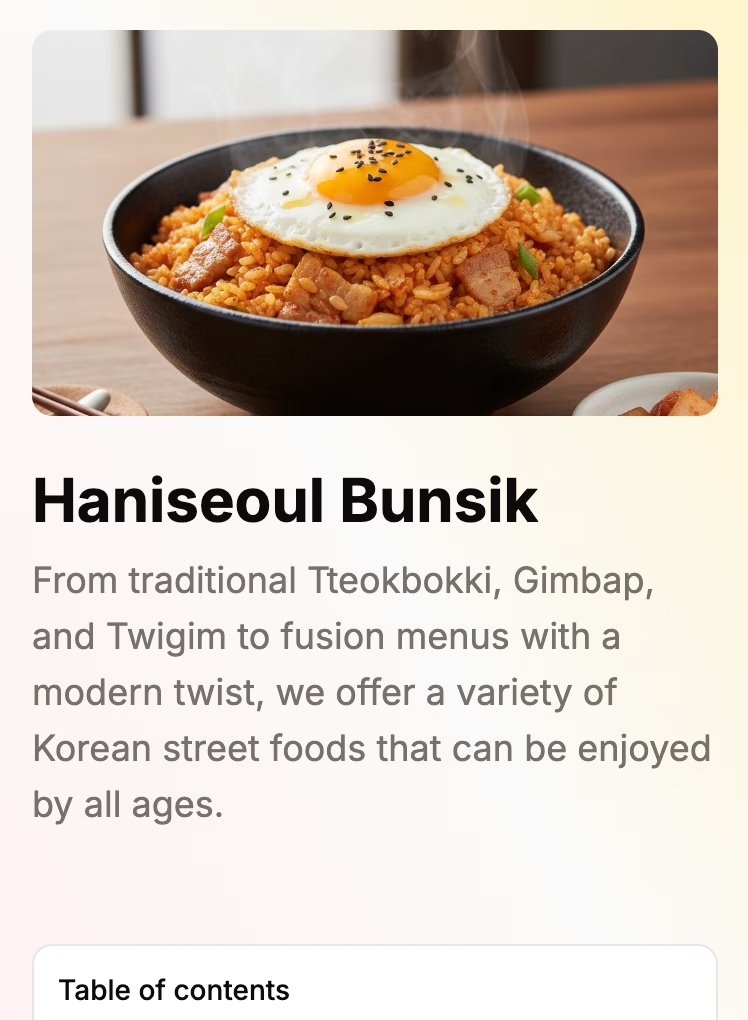
1. Language priority and preview for review
Visitors see the translated page immediately if their language is available; otherwise the default language is shown.
Even when pages are unpublished, you can use preview for internal review to ensure a high-quality release.
2. Basic settings for search and sharing
Multilingual pages are automatically generated in a search-engine-friendly structure.
When the page opens, the title and description are filled automatically and hreflang and x-default tags for 14 languages are created.
Canonical URLs are aligned with each language path to avoid duplicate search results.
Open Graph and Twitter Card metadata are prepared so social shares and messenger previews show consistent text and thumbnails.
3. Structured data handling
Saved structured data is applied as-is; if none exists, default webpage info and breadcrumbs are filled automatically.
If you list a gallery in frontmatter, the same images are included in structured data to emphasize visual assets.
4. Content navigation experience
Markdown content is rendered on the server to HTML so tables, lists, and buttons appear as expected.
Articles display a table of contents at the top on mobile and on the left on desktop so users can jump to sections quickly.
5. Image gallery and reviews
The image gallery shows images in a thumbnail grid and enlarges them when clicked.
High-quality photos of rooms or menus help increase booking conversions.
6. Speed and updates
Pages are revalidated hourly so newly saved content is deployed quickly.
Global CDN and language-aware page structure help overseas customers load pages at similar speeds.
Value compared to building yourself
It is far more cost-effective than building everything yourself.
Manually creating meta tags, structured data, and URLs per language can take 30+ minutes each, but haniseoul page can finish the job in minutes with AI translation and bulk publishing.
Automatic validations catch slug conflicts, incorrect structured data, and missing images to reduce rework.
You can edit and save AI translations directly, so there's no need to switch between external translation tools.
Uploading images and editing content on the same screen eliminates the hassle of moving files from Notion or Drive.
Pages include responsive layout, table of contents, and gallery by default, so you get a professional landing page without extra development.
How to get started now
Log in to the haniseoul page dashboard, create a new page, and write the base language first.
Use templates and image upload to fill core content and save.
Run AI translation and polish important languages, then set them to published.
Test links and connect to Google Maps, Naver Maps, Kakao Map, booking channels, SNS, and ad creatives.
Following these steps you can create a multilingual landing page within 30 minutes and maintain it from the same screen. If you want to make a quick first impression on global customers, try the haniseoul page builder now.
Support
Contact us via the consultation button on your preferred messenger. Consult
View actual pages
Haniseoul Bunsik landing page: Haniseoul Bunsik
Haniseoul House landing page: Haniseoul House
Glossary
Overview of SEO: Multilingual Webpage SEO Guide
AI Translation: A feature where an AI reads the source text and automatically translates it into another language while preserving technical elements. You can then edit translations to improve quality.
Structured Data (JSON-LD): Hidden information that helps search engines understand page content. It provides structured details like address, opening hours, and menus.
CDN: A system that stores images on servers around the world so they are served from a nearby location. This helps overseas users view images quickly.
Image Description (Alt text): A short sentence describing an image so it's understandable when images fail to load or by screen readers.
Content Sanitizer: A process that removes unnecessary code or dangerous scripts when saving content to protect page stability.